
Shopping Guide
Hotel Booking Guide on Reservchi | The Best Online Hotel Booking Experience in Iraq
Are you looking to book a hotel in Iraq?Reservchi allows you to easily choose and book the best hotels in various Iraqi cities with just a few clicks.In this comprehensive guide, we will walk you through the steps of booking a hotel on Reservchi, ensuring a smooth and hassle-free experience.
Step 1: Select the city, check-in date, and number of guests
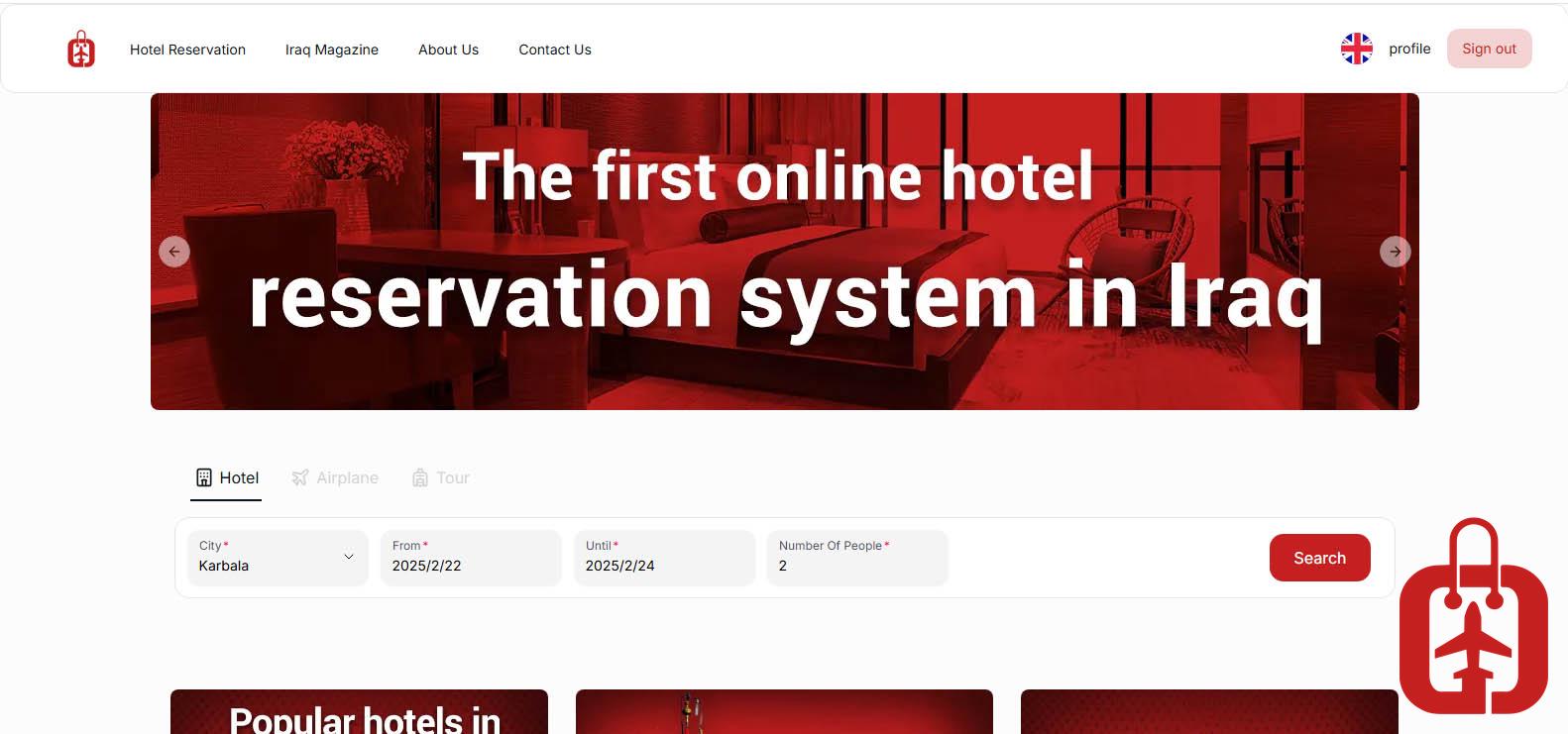
🔹 Then, specify your check-in and check-out dates.
🔹 Enter the number of travelers to display hotels that match your required capacity.
🔹 After setting these details, click the "Search" button to view the list of available hotels.
Step 2: Select the best hotel from the displayed list
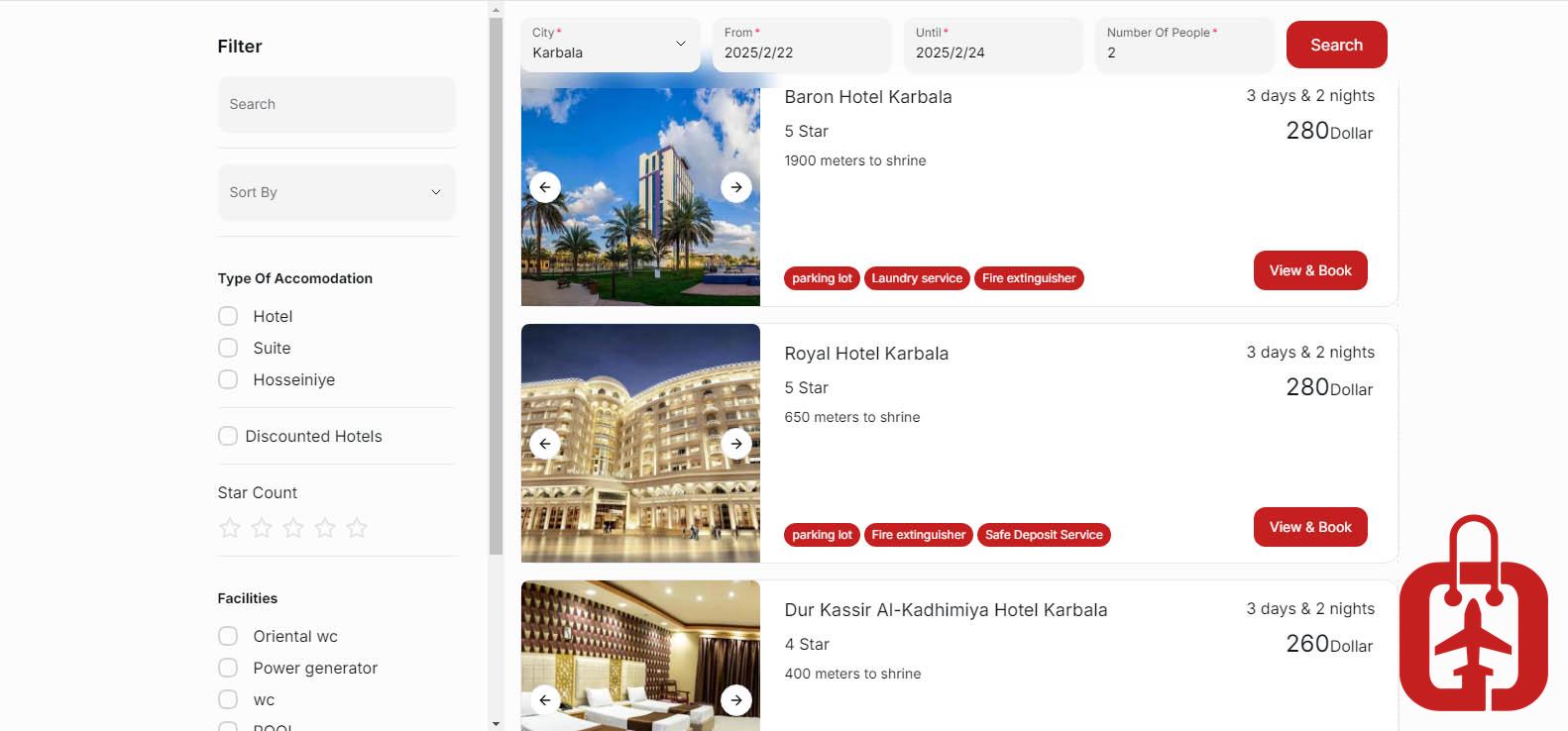
🔹 You can sort the hotels based on price, traveler ratings, location, and available amenities.
🔹 General information about each hotel is displayed, including images, nightly price, distance to holy sites, and available facilities.
🔹 To view more details and select the right room, click the "View & Book" button.
Step 3: Select the right room in your chosen hotel
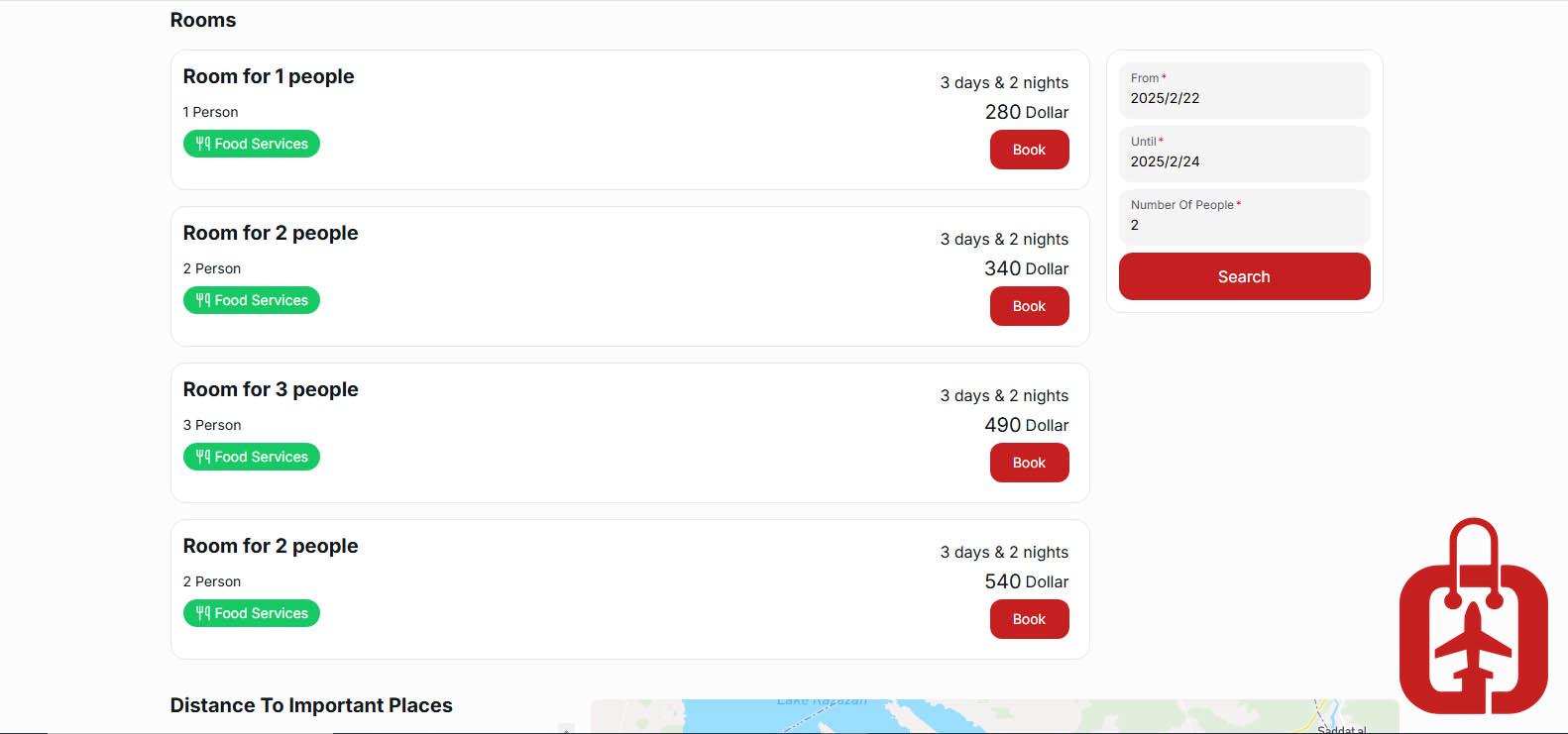
🔹 In this section, you can view and compare the available room types.
🔹 Each room includes detailed information such as capacity, amenities (free breakfast, Wi-Fi, air conditioning), price, and stay policies.
🔹 After reviewing the details, click the "Book" button to proceed to the next step.
Step 4: Enter the booking details and select the payment method
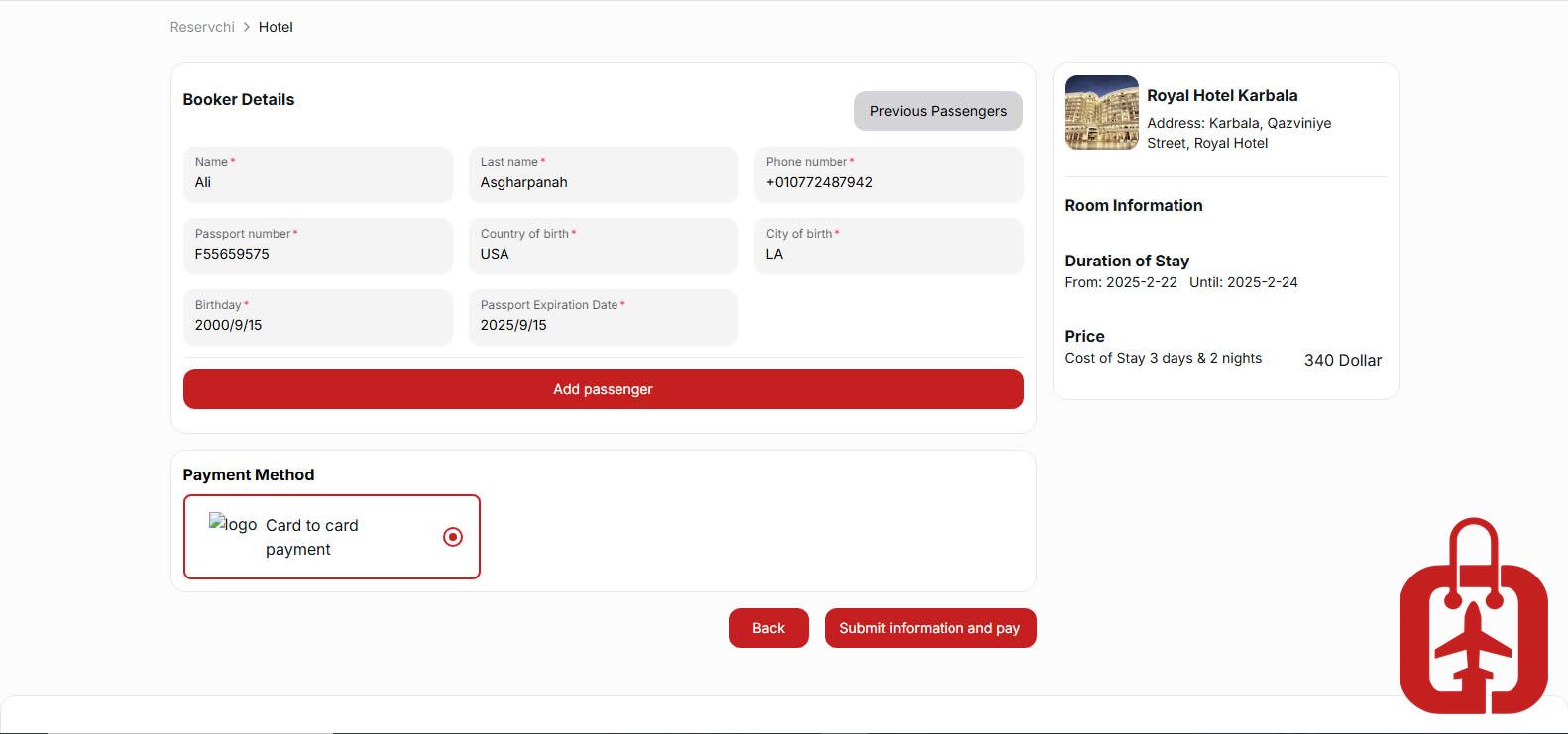
✅ Full name as per identification documents to ensure faster check-in at the hotel.
✅ A valid phone number to receive the booking confirmation and payment invoice.
🔹 After completing the details, click the "Submit Information & Pay" button to proceed to the final step.
✅ Note: Please review your information carefully, as it cannot be edited after submission.